构建网站的全球最快框架。
Hugo 是最受欢迎的开源静态网站生成器之一。凭借其惊人的速度和灵活性,Hugo 使构建网站再次变得有趣。
老早就想迁到 Hugo,因各种事耽搁了,也没啥时间找合适主题。最近刚好更新博客,就趁热完成迁移。
准备
- 建一个 GitHub 私仓用于存放博客代码,可以再建一个仓库存放主题,方便后续升级。
- 本地可以不装环境;如果要本地测试,需要安装
Go、Node.js、Hugo。
初始化
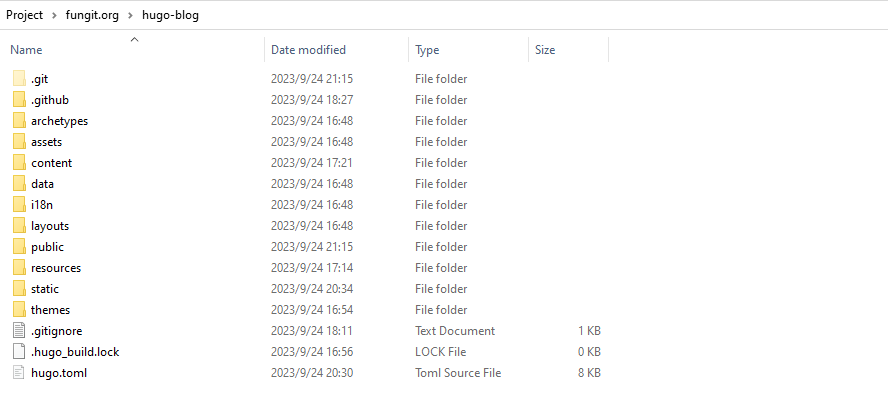
在服务器创建一个新站点后,克隆到本地。
配置 Vercel
新建项目并导入仓库后,框架选择 Others,后续手动覆盖构建命令和依赖安装命令。
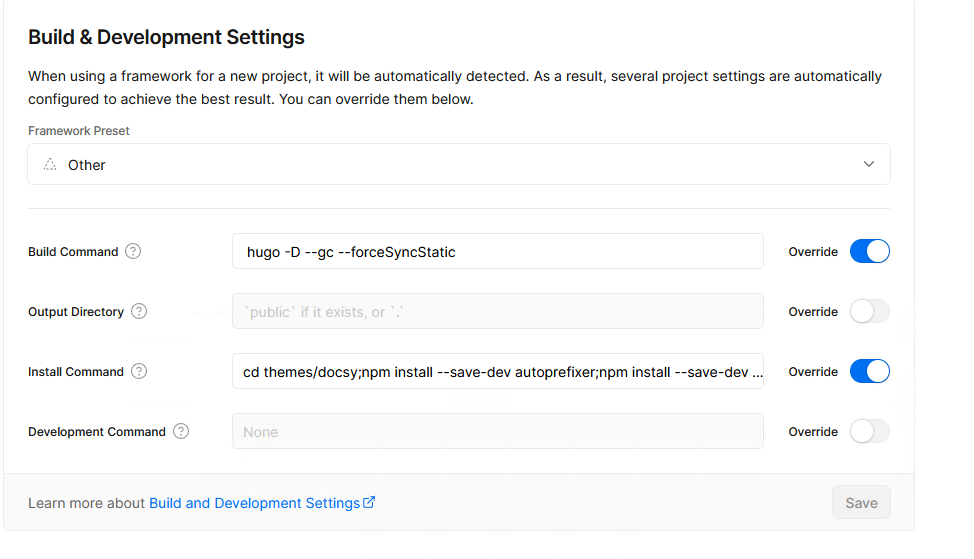
编译命令:
hugo -D --gc --forceSyncStatic依赖安装:
cd themes/docsy
npm install --save-dev autoprefixer
npm install --save-dev postcss-cli
npm install -D postcss
cd ../../
npm install --save-dev autoprefixer
npm install --save-dev postcss-cli
npm install -D postcss
hugo -D环境变量需要配置:HUGO_VERSION=0.118.2。
安装 Docsy 主题
主题我选用的是 Docsy,可以同时做博客和文档站。
我是用本地方式安装:从 https://github.com/google/docsy/releases 下载 0.7.1,解压到 themes/docsy,再删除 userguide 目录,大概如下:
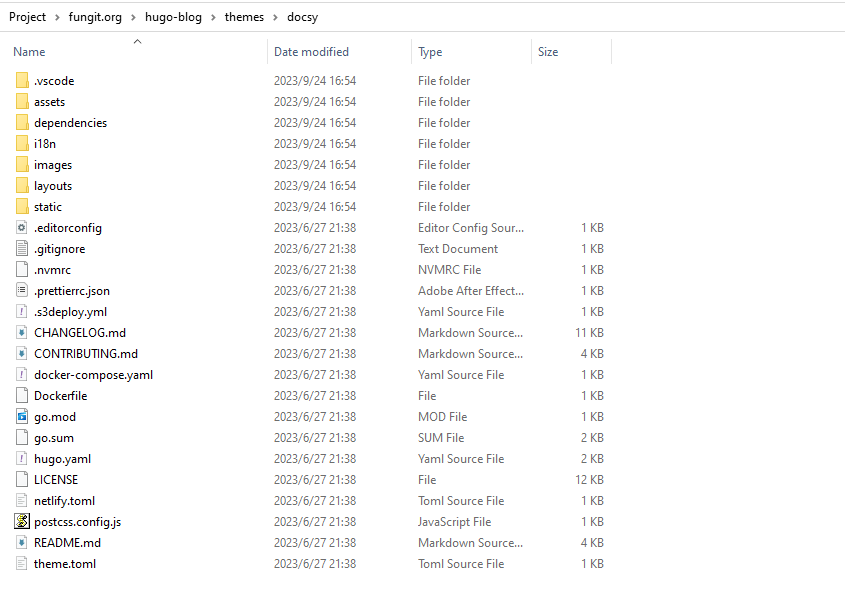
然后从官方范例 docsy-example 获取 hugo.toml 作为基础。
先删除原有配置中的模块导入段:
enableGitInfo = true

[module]
  # uncomment line below for temporary local development of module
  # replacements = "github.com/google/docsy -> ../../docsy"
  [module.hugoVersion]
    extended = true
    min = "0.110.0"
  [[module.imports]]
    path = "github.com/google/docsy"
    disable = false
  [[module.imports]]
    path = "github.com/google/docsy/dependencies"
    disable = false
添加对应配置:
theme = "docsy"
disableGitInfo = true
配置 Cover
Docsy 默认不支持自定义 Cover,我们在 themes/docsy/layouts/shortcodes/blocks/cover.html 做修改:
{{ $cover_image := .Get "cover_image" | default $.Site.Params.custom.coverImageFull -}}

{{ with $promo_image -}}
{{ $promo_image_big := (.Fill (printf "1920x1080 %s" $image_anchor)) -}}
{{ $promo_image_small := (.Fill (printf "960x540 %s" $image_anchor)) -}}
<!--
<link rel="preload" as="image" href="{{ $promo_image_small.RelPermalink }}" media="(max-width: 1200px)">
<link rel="preload" as="image" href="{{ $promo_image_big.RelPermalink }}" media="(min-width: 1200px)">
-->
<style>
#{{ $blockID }} {
  background-image: url({{ $cover_image }});
}
</style>
{{ end -}}
核心是注释掉原来的相对 URL($promo_image_big.RelPermalink),改为可配置的 cover_image。
在 hugo.toml 添加参数:
[params.custom]
coverImageFull = "https://api.fungit.org/covers.php"
coverImageSmall = "https://api.fungit.org/covers.php?type=small"
Push 到 GitHub 后,Vercel 会自动构建部署。正常的话就是熟悉的 cover 效果:

Comments